
The note is done when the visit is.
Denti Note listens to the consultation on your phone, then writes the clinical note and charts the teeth in your desktop workbench.
Talk to your patient. The paperwork follows.
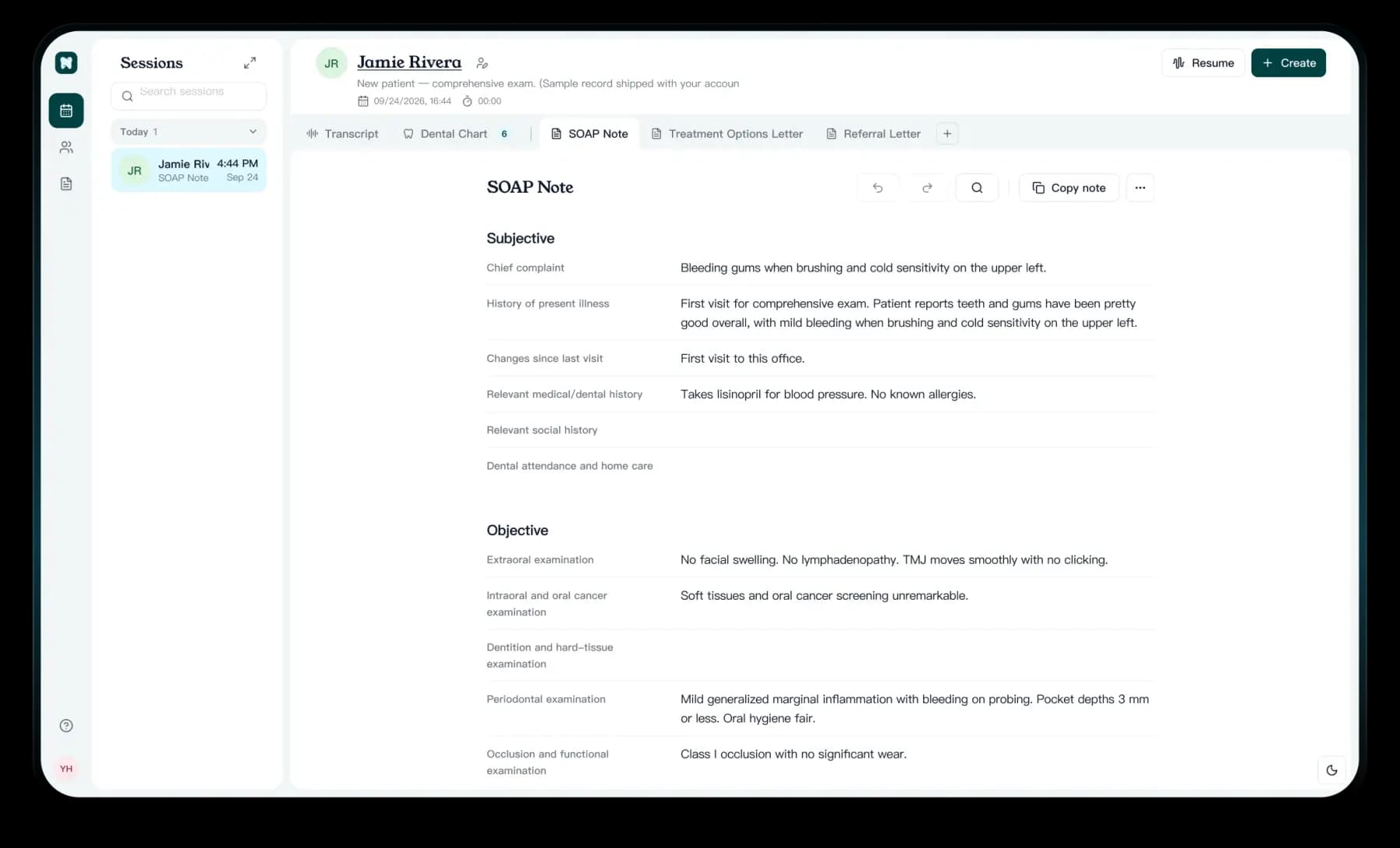
Denti Note turns the visit into a charted, structured note and the letters that come after it.
01Dental chart
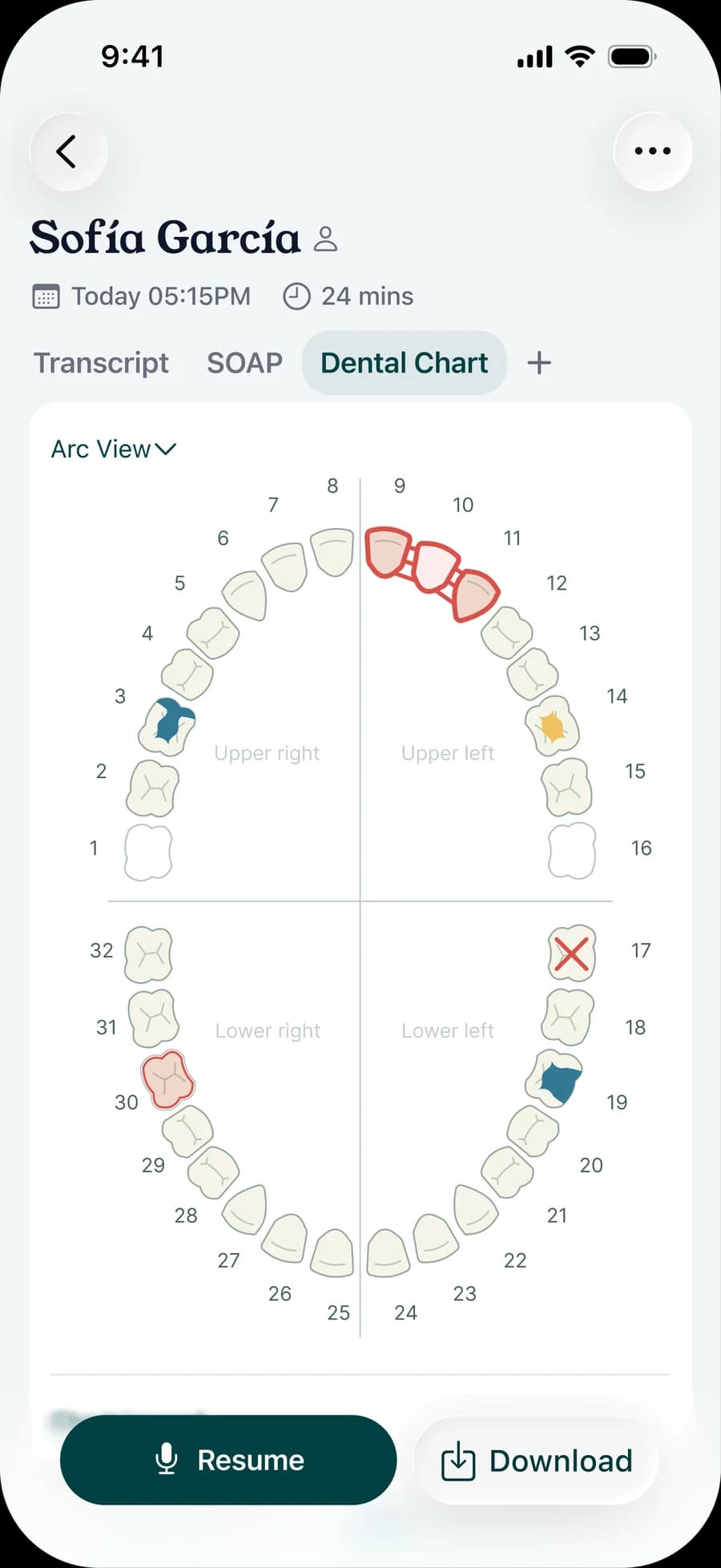
Just speak. Charting done.
Say tooth numbers, surfaces and findings out loud. The chart fills in while you talk.
02Notes & letters
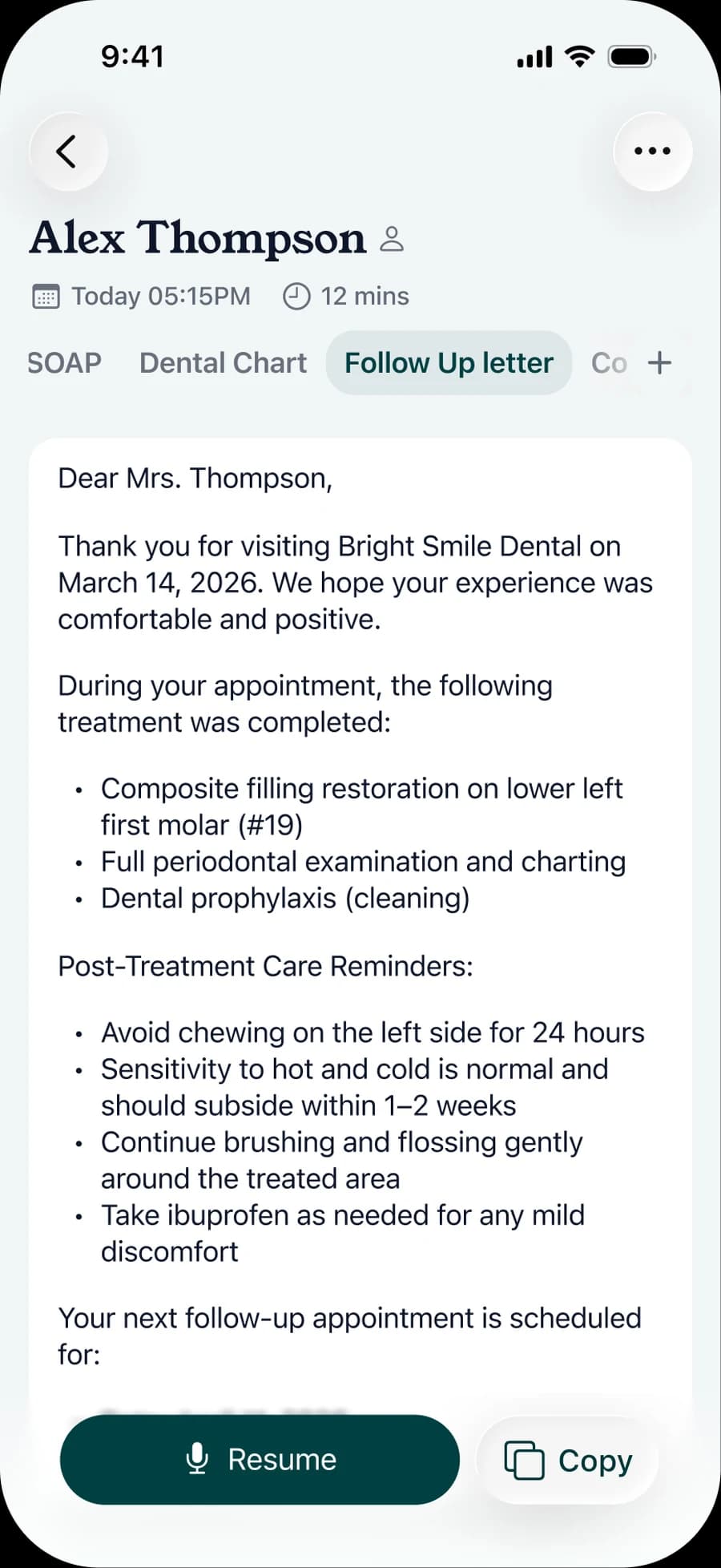
Turn visits into notes and letters.
Create clinical notes from each visit and draft patient letters from those notes, ready for you to review and finalize.
03Templates
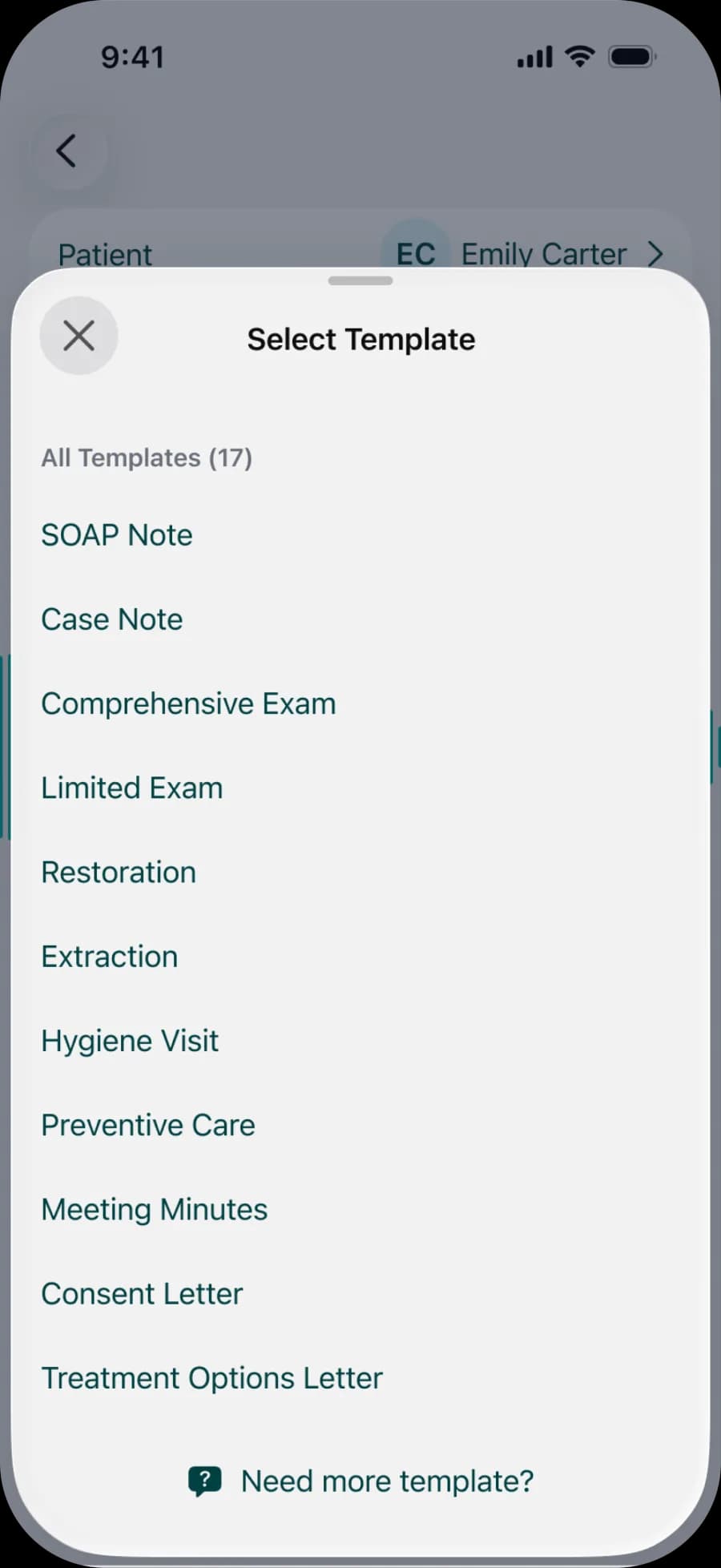
Templates that fit dental workflows.
Pick the template before you record: exams, restorations, extractions, periodontal care and more.
Built for clinical work
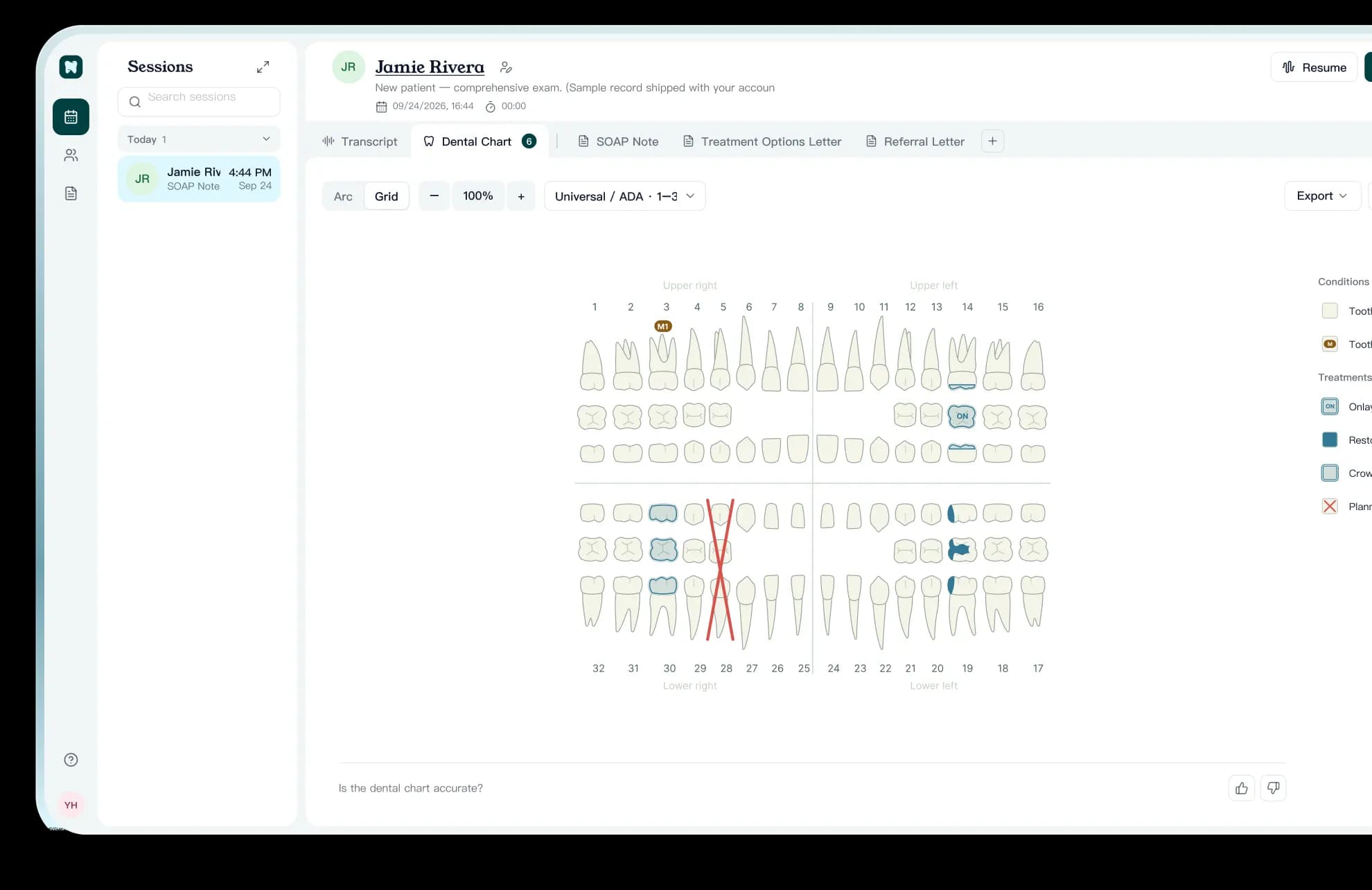
Made for dentistry
Universal and FDI numbering, a full dental chart and note templates shaped around exams, treatment and follow-up.
Your data, your control
Recordings and notes belong to your practice. Our Privacy Policy explains what we collect and how it is protected.
Read the Privacy PolicyBusiness Associate Agreement
Our Business Associate Agreement is published so your practice can review it before you start.
Read the agreement
Free your time with Denti Note
The mobile app records the visit; the workbench does the rest. Get the app, then log in on your desktop.